> For the complete documentation index, see [llms.txt](https://docs.haust.network/llms.txt). Markdown versions of documentation pages are available by appending `.md` to page URLs; this page is available as [Markdown](https://docs.haust.network/mainnet/haust-wallet-instruction-1.md).

# Haust Wallet Instruction

### 1. CREATE ACCOUNT

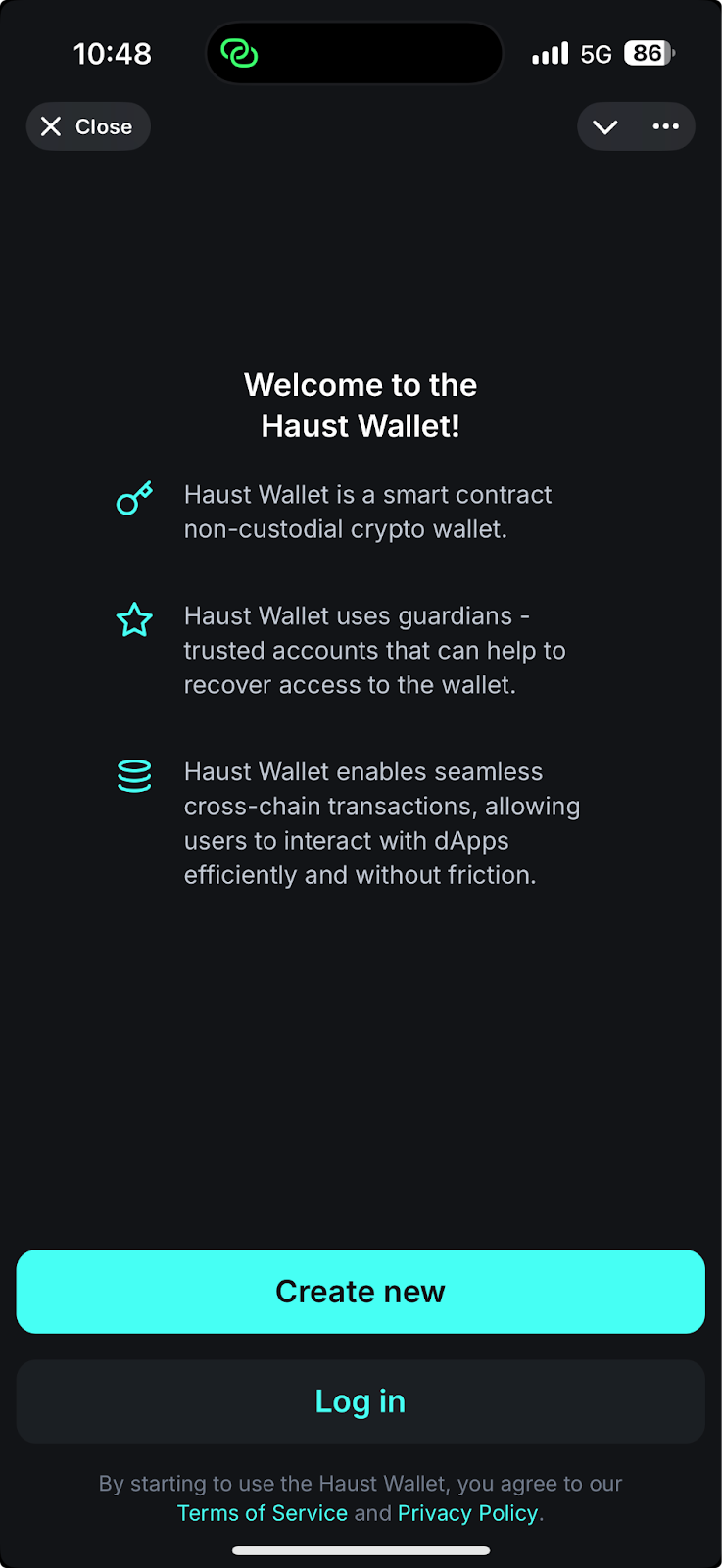
1. Open the [Haust Wallet ](https://t.me/haustwallet_bot/app)mini App in Telegram and click the **Create** **new** button.
<img src="https://3672846622-files.gitbook.io/~/files/v0/b/gitbook-x-prod.appspot.com/o/spaces%2Fn5zh4fpSEkvKAmaszfnj%2Fuploads%2FFRZtkcp2Niih6bO5hwcb%2Funknown.png?alt=media&amp;token=7d7eb614-e4d0-495a-985f-9492c38d5bb5" alt="" data-size="original"><br>

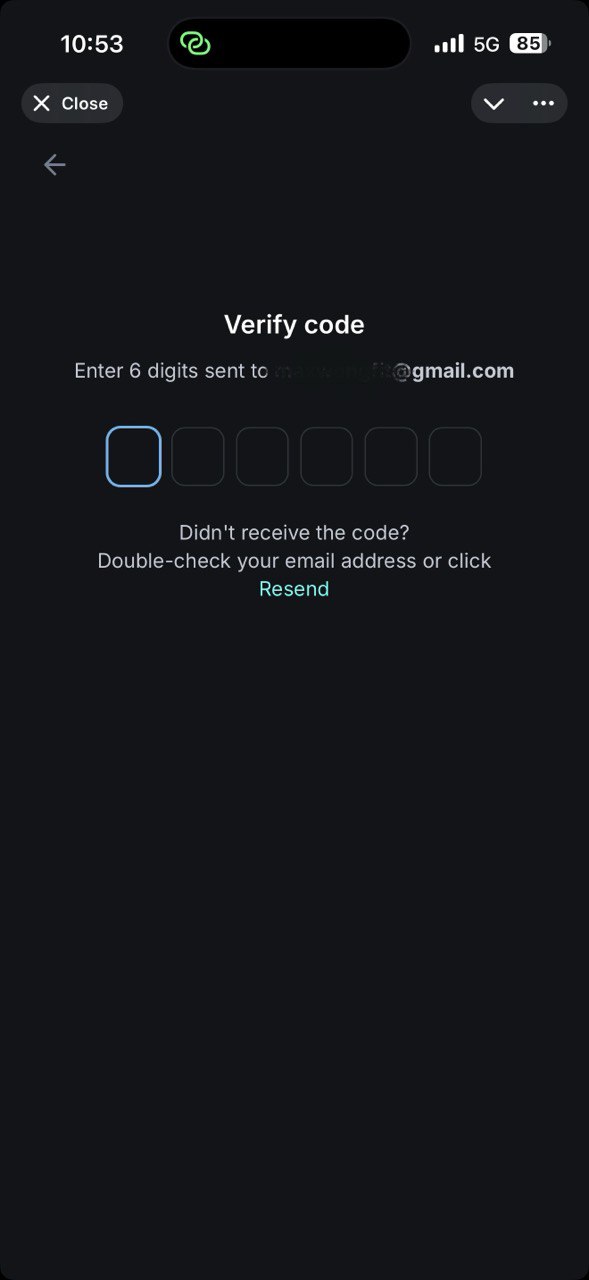
2. Enter your Email and press **Send**, you will receive the confirmation code, please type it into a special field. If you didn't receive any code, please press **Resend**.

<div align="left"><figure><img src="https://3672846622-files.gitbook.io/~/files/v0/b/gitbook-x-prod.appspot.com/o/spaces%2Fn5zh4fpSEkvKAmaszfnj%2Fuploads%2FvhztjSN0MRRThLMdW59B%2Ftelegram-cloud-photo-size-5-6059858822555176055-y.jpg?alt=media&amp;token=5b89e50d-2d9d-4645-b765-4f906a9cd179" alt="" width="295"><figcaption></figcaption></figure></div>

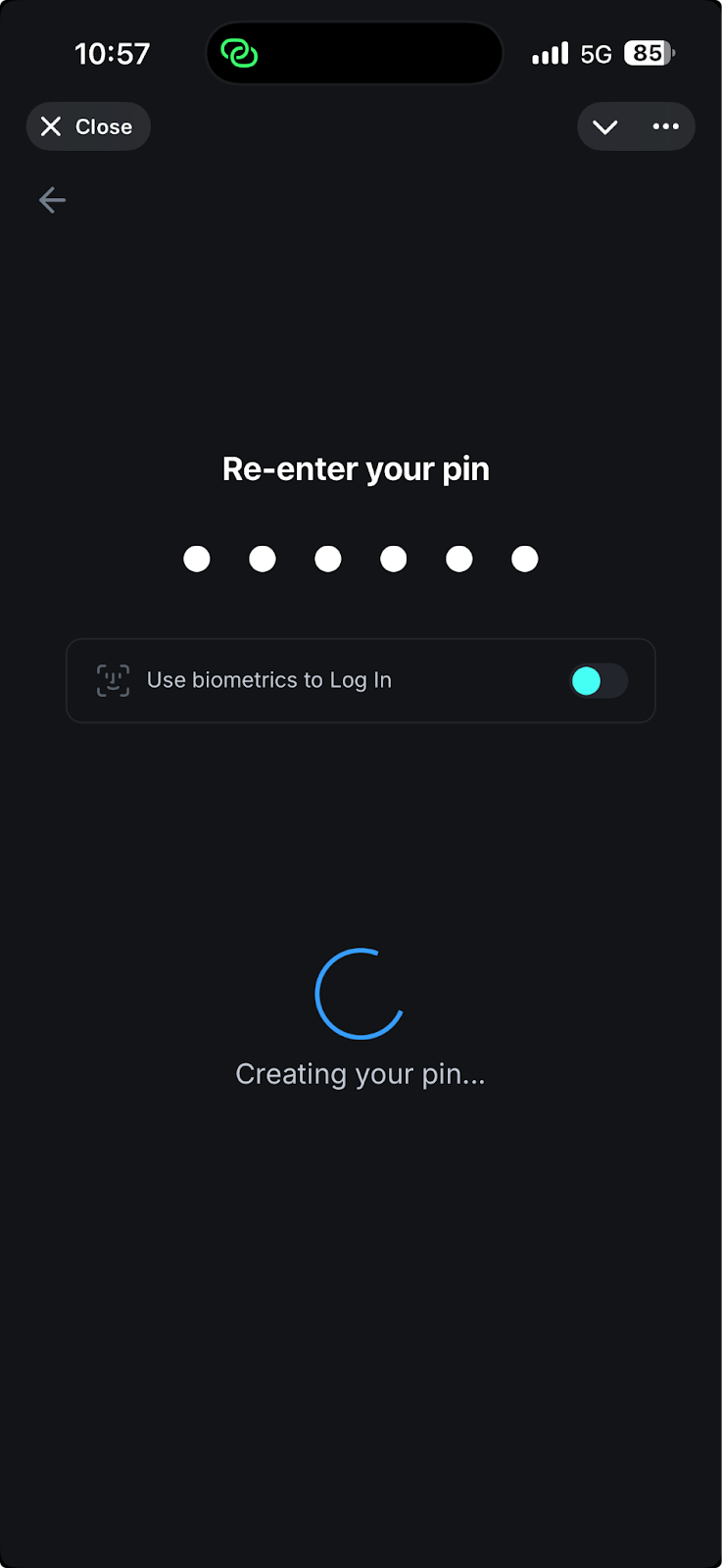
3. Your account will be created, to protect it please create and re-enter a strong PIN, you can enable Biometrics or can do it later in the Settings.
<img src="https://3672846622-files.gitbook.io/~/files/v0/b/gitbook-x-prod.appspot.com/o/spaces%2Fn5zh4fpSEkvKAmaszfnj%2Fuploads%2F6AJdtPt1kByEEYPJbE7J%2Funknown.png?alt=media&amp;token=7060db87-7be9-4dad-8b2f-52294b18a720" alt="" data-size="original"><br>

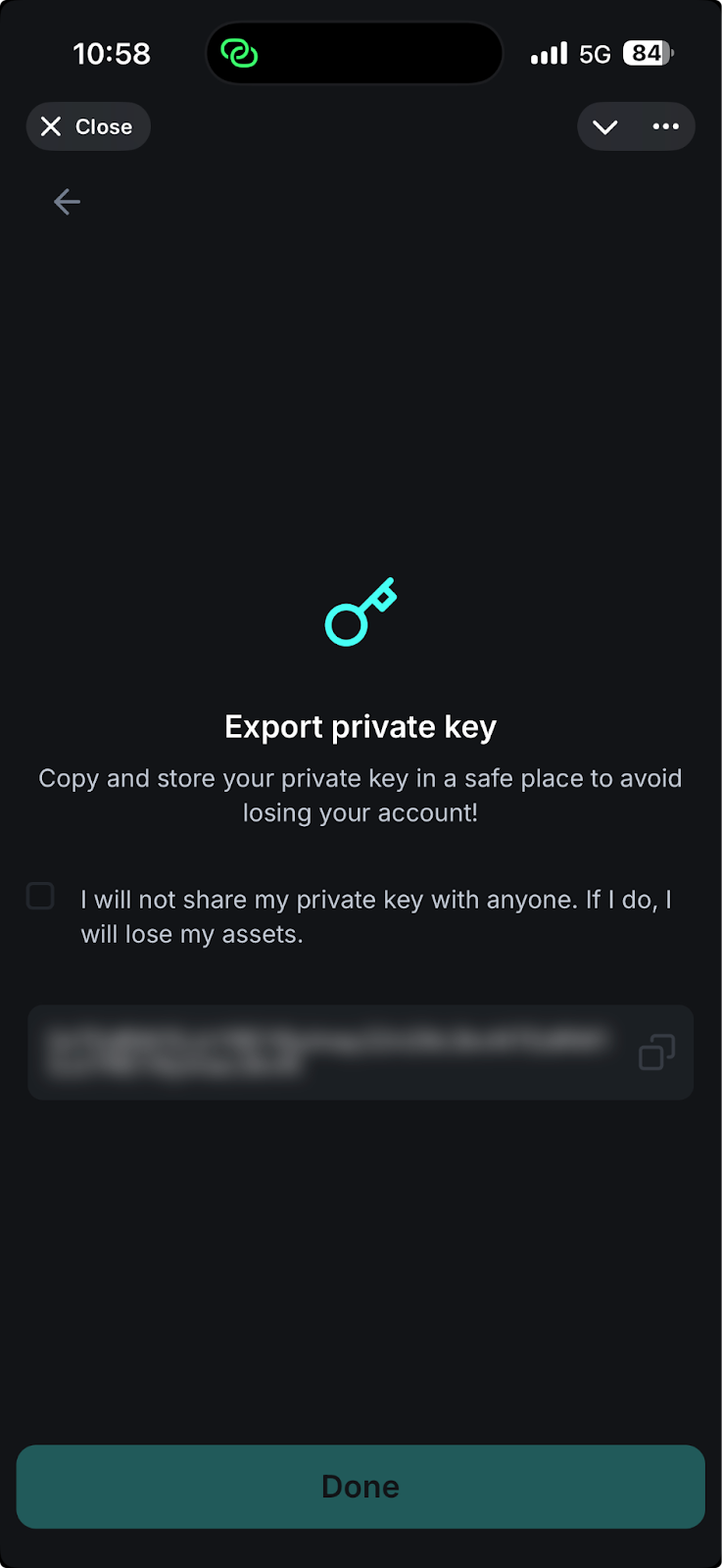
4. Please, export the private key and save it in a secure environment.
<img src="https://3672846622-files.gitbook.io/~/files/v0/b/gitbook-x-prod.appspot.com/o/spaces%2Fn5zh4fpSEkvKAmaszfnj%2Fuploads%2FxJwhyLNmY3tj7j7BKUmA%2Funknown.png?alt=media&amp;token=38944da7-ba4c-4d49-80a3-bca53eb5b90d" alt="" data-size="original">

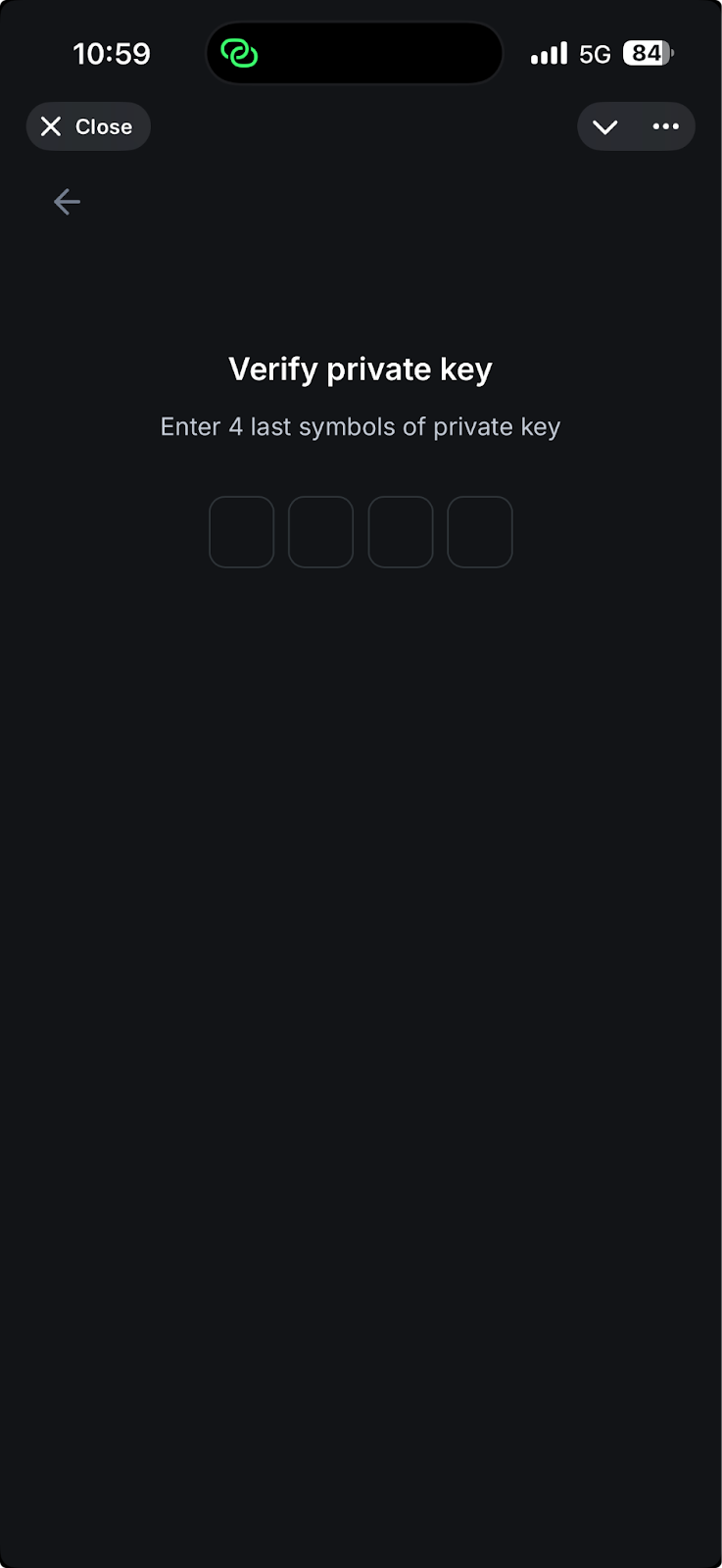
5. To make sure you’ve saved it correctly, please enter the last 4 characters in the same order as they appear in your private key.
<img src="https://3672846622-files.gitbook.io/~/files/v0/b/gitbook-x-prod.appspot.com/o/spaces%2Fn5zh4fpSEkvKAmaszfnj%2Fuploads%2FRe6Q9i9ebEKXuTAXUE1R%2Funknown.png?alt=media&amp;token=f2abceb1-8a16-4b62-8ff8-2ccb54d77e48" alt="" data-size="original">

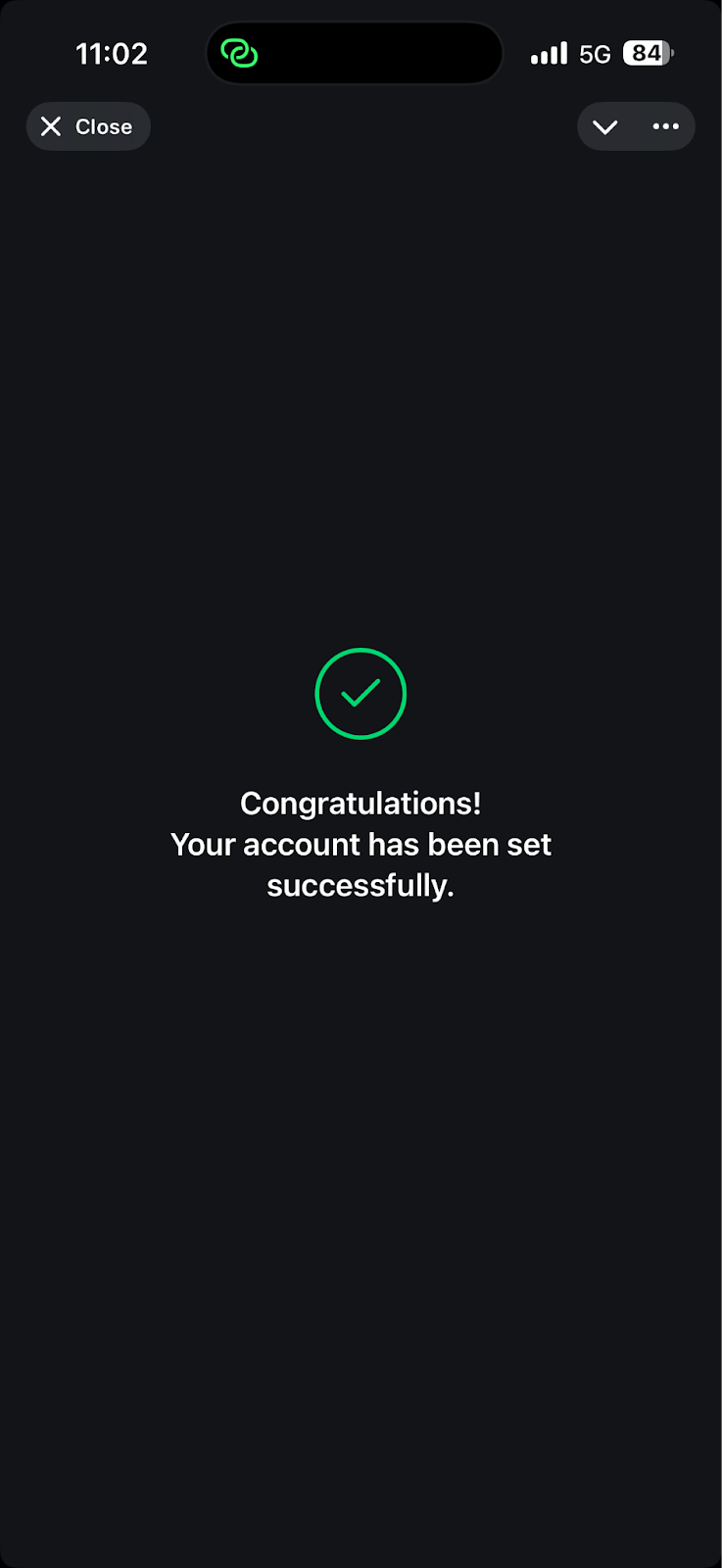
6. After entering it correctly, your account will be set up successfully.
<img src="https://3672846622-files.gitbook.io/~/files/v0/b/gitbook-x-prod.appspot.com/o/spaces%2Fn5zh4fpSEkvKAmaszfnj%2Fuploads%2FJpXP7KskeQ9lRZLpg054%2Funknown.png?alt=media&amp;token=9a5fb264-5560-4960-8f01-d6d065ac0125" alt="" data-size="original">

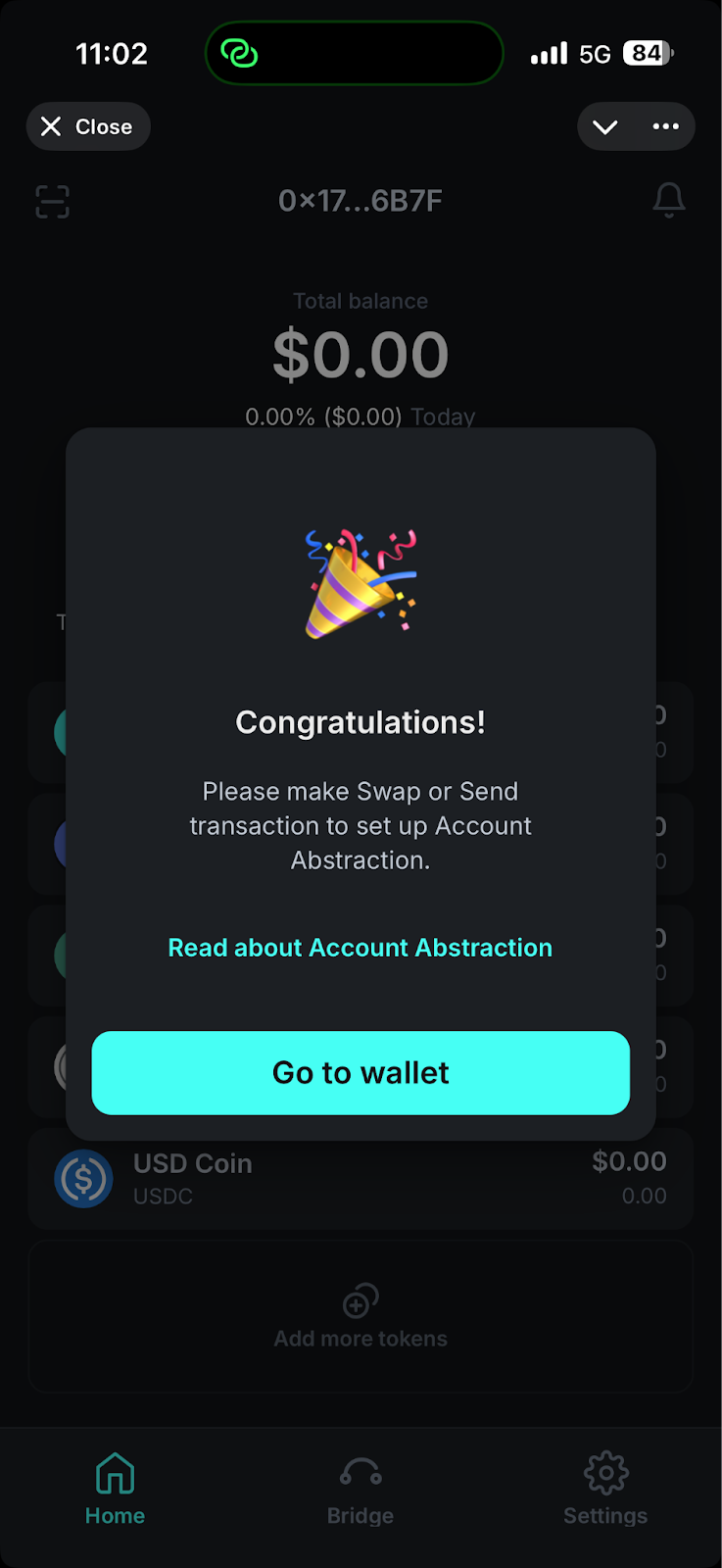
&#x20;7\. To set up Account Abstraction please complete Send or Swap transaction(can be done later).&#x20;

<img src="https://3672846622-files.gitbook.io/~/files/v0/b/gitbook-x-prod.appspot.com/o/spaces%2Fn5zh4fpSEkvKAmaszfnj%2Fuploads%2FUcE9S0kFP1nPbQU3KlIm%2Funknown.png?alt=media&amp;token=8a9b1ffd-7634-4e72-abfe-f136b7150722" alt="" data-size="original">

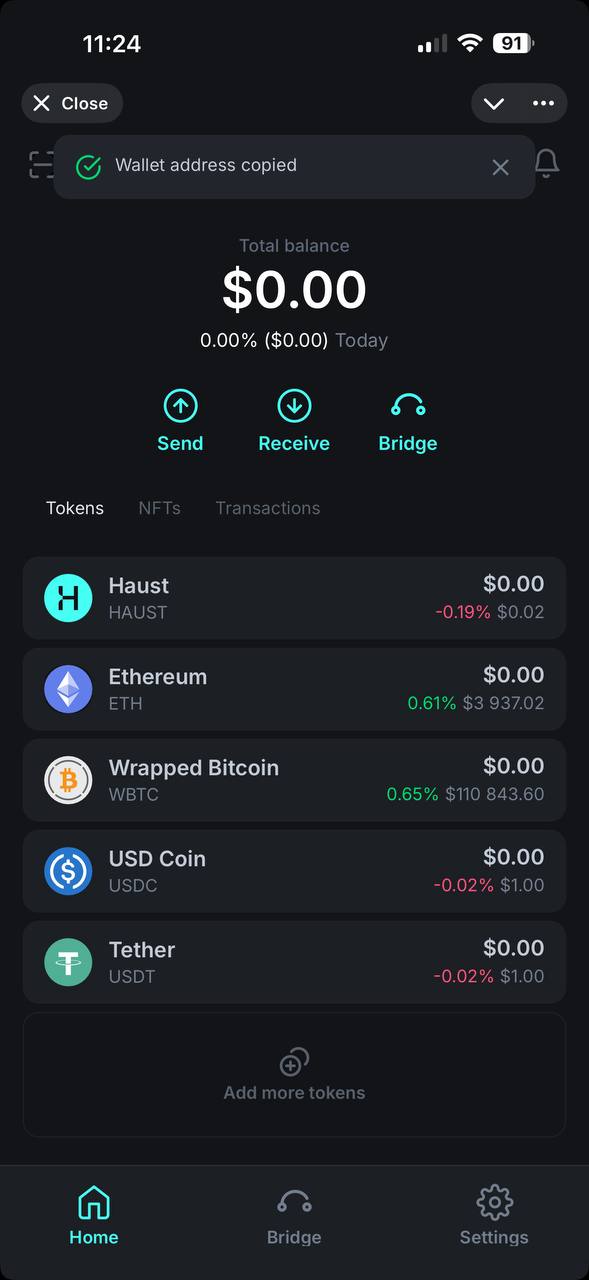
8\. Click on your wallet address in the Upper menu to copy it. Then can save it.

<div align="left"><figure><img src="https://3672846622-files.gitbook.io/~/files/v0/b/gitbook-x-prod.appspot.com/o/spaces%2Fn5zh4fpSEkvKAmaszfnj%2Fuploads%2FvQ0sqgri1sCmsYNkEdw5%2Ftelegram-cloud-photo-size-5-6059858822555175769-y.jpg?alt=media&amp;token=0c9a9ffa-ad11-4301-9295-5e79a447052f" alt="" width="295"><figcaption></figcaption></figure></div>

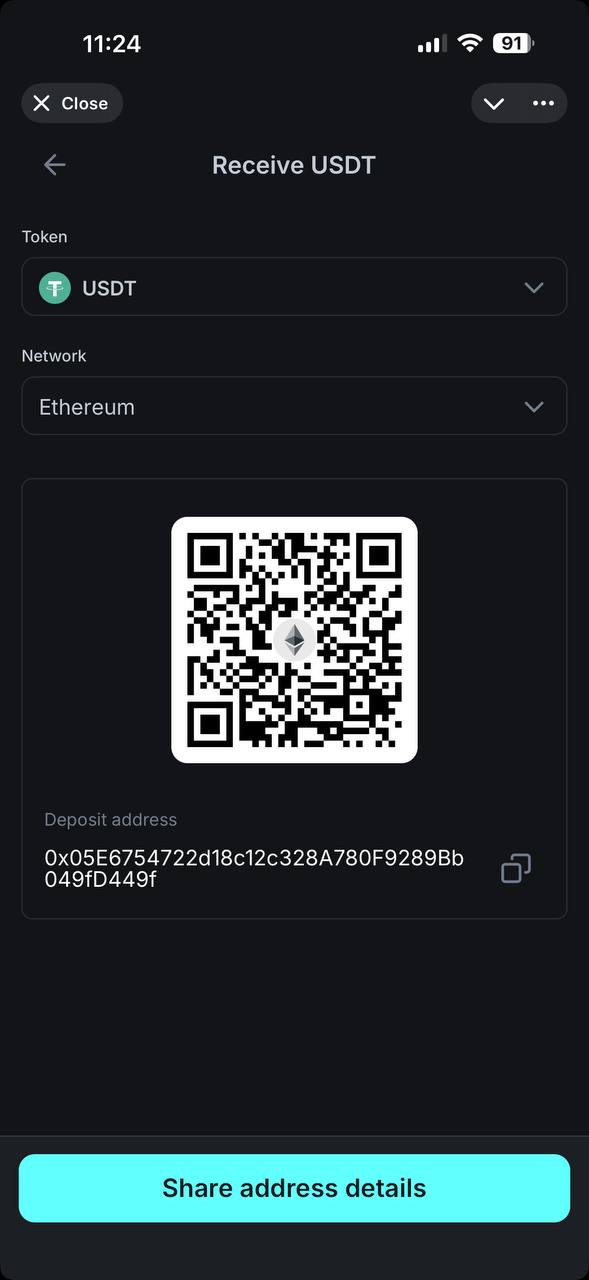
9\. The other way to get your Address - press Receive button on the Home screen, select any Token and Network. Copy address.
<img src="https://3672846622-files.gitbook.io/~/files/v0/b/gitbook-x-prod.appspot.com/o/spaces%2Fn5zh4fpSEkvKAmaszfnj%2Fuploads%2FiN8liOhy9c9VMOQ86BKG%2Ftelegram-cloud-photo-size-5-6059858822555175770-y.jpg?alt=media&amp;token=7a0c87d6-0141-4608-b4ba-c3308856a4a4" alt="" data-size="original"><br>